TL;DR
Use a free shipping badge when it answers a real shipping doubt. It works best when shoppers need quick reassurance beside the product, price, cart, or checkout button.
Make the rule impossible to misunderstand. If free shipping has a threshold, eligible region, delivery speed, product exclusion, or code requirement, say so before the shopper gets surprised.
Choose the right format. A badge is best for local reassurance, a banner is best for store-wide awareness, and a progress bar is best when shoppers are close to a free-shipping threshold.
Product pages and carts are the priority. These are the highest-friction spots for a shipping trust badge, especially when the shopper is comparing total cost or deciding whether to continue.
One image slot is intentionally empty. The Snapp implementation section includes a clear empty image placeholder where a future Snapp app/product screenshot can be inserted.
What is a free shipping badge for Shopify?
A free shipping badge is a small visual cue that tells shoppers a Shopify store offers free delivery under a specific rule. It may say “Free shipping,” “Free shipping over $50,” “Free standard shipping,” “Free US shipping,” or “Free shipping on this item.” In a trust-badge system, it acts as a shipping trust badge: it reduces uncertainty about one of the most common purchase objections, the delivery cost.
The keyword here is specific. A free shipping badge Shopify merchants add to a product page should not simply decorate the page. It should clarify the promise before the shopper reaches a point of friction. If the order needs to reach a minimum amount, the badge should say that. If the promise applies only to standard shipping, it should not imply express shipping. If it applies only in certain countries, the store should make that clear in the shipping policy or cart experience.
Shopify supports free shipping through shipping-rate settings and discounts. Its help center explains that merchants can create free shipping rates using price-based or weight-based conditions, and Shopify’s discount documentation explains free shipping discounts for codes or automatic discounts. The exact setup depends on whether the offer is an always-on shipping rate, a promotion, or a discount rule. See Shopify’s free shipping rate documentation and free shipping discount documentation.
A badge is therefore the front-end promise. The shipping settings, discount rules, cart logic, and policy page are the back-end proof. The badge only builds trust when those pieces match.
When a free shipping badge actually helps

A free shipping badge helps when the shopper is likely to pause because of delivery cost, shipping uncertainty, or total-order surprise. Baymard’s cart abandonment research consistently shows that extra costs are one of the biggest checkout friction points; its current abandonment list reports “extra costs too high” as the top reason among shoppers who abandoned during checkout, and it also calls out cases where shoppers could not see or calculate the total cost up front. See Baymard’s cart abandonment statistics.
That does not mean every store should splash “free shipping” everywhere. It means the store should use the badge when the shipping promise is strong enough to change the decision and clear enough to avoid disappointment.
Use it for products where shipping cost feels like a risk. Bulky, fragile, low-margin, or comparison-heavy products often need shipping reassurance before the add-to-cart decision.
Use it when the threshold is a conversion lever. If shoppers often sit just below the free-shipping minimum, a badge plus cart progress message can encourage a higher order value without feeling pushy.
Use it during seasonal or limited-time promotions. A clear free shipping banner Shopify setup can support urgency, while product and cart badges reinforce the offer near action buttons.
Use it for new or unfamiliar brands. Shipping confidence can help reduce the “Is this store reliable?” question, especially when paired with returns, tracking, and secure checkout cues.
Do not use it if the rule is weak or hidden. A vague badge that leads to exclusions, high thresholds, or unexpected conditions at checkout can damage trust faster than no badge at all.
Where to place a Shopify free shipping badge

Keep shipping reassurance consistent with your other product feature icons and cart-page trust signals.
The best placement depends on the shopper’s stage. Early in the journey, the free shipping message can create awareness. Close to checkout, it should remove friction. On policy pages, it should explain the details. A Shopify free shipping badge does not need to live in one place only, but each placement needs a different job.
On product pages, place the badge close to the buying decision: below the price, under the add-to-cart button, near variant selectors, or beside a compact trust row. Product-page placement works because the shopper is already calculating value. If the product qualifies for free shipping, say it close to the action. If the shopper needs to reach a threshold, use wording like “Free shipping over $50” instead of a broad “Free shipping” badge.
In the cart, place the free shipping badge or message near the checkout button, order summary, cart drawer total, or progress bar. This is where the shopper is thinking about total cost, so the message should be practical: “You qualify for free standard shipping” or “Add $12 more for free shipping.”
In an announcement bar, use the badge-like message for broad awareness. A free shipping banner Shopify layout is helpful when the offer applies across the store or during a promotion. Keep it short, and make sure the full rule is available in the cart or shipping policy.
In the footer and shipping policy, use the badge as a supporting trust cue. The footer can show a simple “Free shipping over $50” icon, but the policy page should explain regions, shipping speeds, exclusions, and expected delivery windows.
Badge, banner, or progress bar: choose the right format

Free shipping can appear as a badge, a banner, a progress bar, or a line of cart microcopy. The right choice depends on the job. A badge is not always better than a banner, and a banner is not always better than a progress bar. Use the format that matches the shopper’s question.
Format | Best use | Best placement | Example copy | Watch out for |
|---|---|---|---|---|
Free shipping badge | Local reassurance near a buying action | Product page, cart drawer, cart page, trust row | Free shipping over $50 | Vague wording when the item or region does not qualify |
Free shipping banner Shopify setup | Store-wide awareness or campaign offer | Announcement bar, homepage hero, collection page top | Free standard shipping this weekend | Taking too much attention away from products or CTA buttons |
Cart progress bar | Threshold motivation and AOV lift | Cart drawer, cart page, mini-cart | You are $12 away from free shipping | Incorrect thresholds when discounts, markets, or weights change |
Shipping policy badge | Proof behind the promise | Shipping policy, FAQ, footer link area | Free US shipping over $50 | Using a badge instead of explaining the actual terms |
Checkout-adjacent microcopy | Final reassurance before payment | Cart checkout button area, order summary, payment area where editable | Free standard shipping applied | Promising a checkout change the store cannot technically control |
For many Shopify stores, the strongest combination is simple: a short announcement bar for awareness, a product-page free shipping badge for reassurance, and a cart progress bar when the threshold matters. This lets the message appear in the right place without repeating the same badge until it becomes noise.
How to write free shipping badge copy
The copy should be short enough to scan and specific enough to be trusted. “Free shipping” is fine only when the rule is genuinely broad. If the offer has a threshold, eligible region, speed, product category, or date range, the badge needs that context.
Clear: “Free shipping over $50.”
Clear: “Free US shipping on this item.”
Clear: “Free standard shipping — 3–6 business days.”
Risky: “Free shipping” when the offer excludes many products or markets.
Risky: “Fast & free shipping” when the free method is standard and not especially fast.
A good badge can be paired with a link or short helper line: “See shipping details,” “Free over $50 before taxes,” or “Excludes oversized items.” This keeps the badge clean while still giving cautious shoppers a way to verify the promise.
Use the same wording across the store. If the announcement bar says “Free shipping over $50,” the product page should not say “Free delivery,” the cart should not say “Free standard shipping from $60,” and the policy page should not introduce new exclusions without warning. Consistent language prevents the badge from feeling like a bait-and-switch.
How to add a free shipping badge to Shopify with Snapp
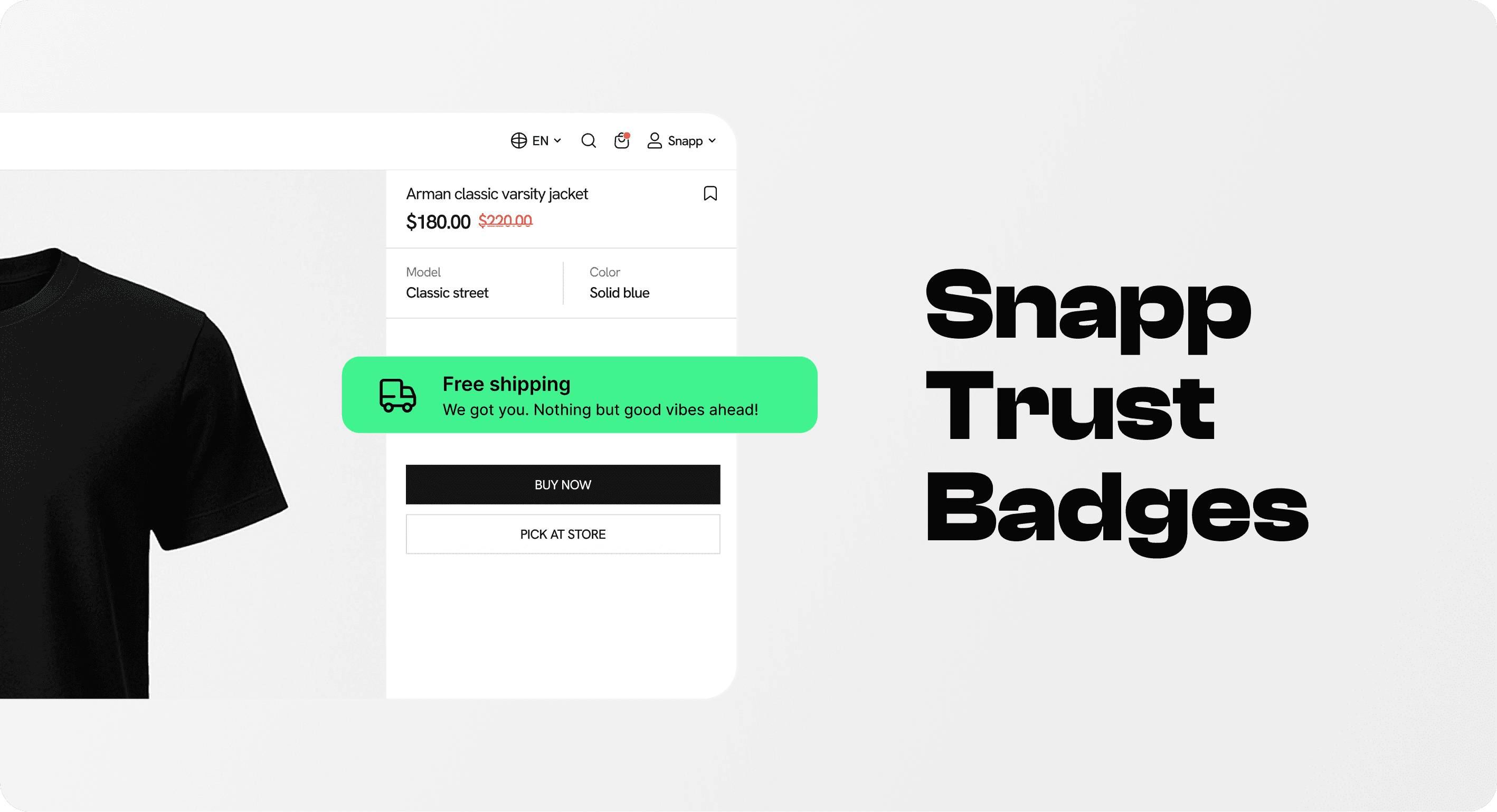
There are several ways to add a free shipping badge to Shopify. The right method depends on how much placement control the merchant needs and how often the offer changes.
The best Shopify apps to increase sales help communicate a real offer at the right moment. For free shipping, that means making the rule clear on the product page or in the cart, rather than relying on a generic badge in the footer.
1. Use Shopify shipping settings for the actual promise
First, make sure the shipping offer exists in Shopify. If the store offers always-on free shipping, configure the relevant free shipping rate and conditions. If the offer is promotional, use Shopify’s discount tools or automatic discount logic. The storefront badge should never promise more than the shipping setup can deliver.
2. Use theme settings for simple placements
Some themes include announcement bars, icon rows, footer payment icons, or product-page text blocks. These are useful for broad placements, especially if the free shipping promise is simple and store-wide. The limitation is that theme settings may not give enough control for product-specific, cart-specific, or mobile-specific badge placement.
3. Use Snapp for flexible badge placement
Snapp is useful when a merchant wants a polished shipping trust badge without editing theme code. Snapp’s product pages and Shopify App Store listing describe trust badges, banners, payment icons, and custom icons that can be styled to match a Shopify brand and placed through a theme app extension. See Snapp Trust Badges & Icons and the Snapp Shopify App Store listing.
For this article’s use case, Snapp can support a clean free shipping badge row below the add-to-cart button, a cart reassurance row near checkout, or a broader set of trust icons that pairs shipping with secure checkout, returns, and support. Snapp’s help center notes that merchants can control badge styling such as spacing, typography, icon size, and color, and that app embeds must be enabled for badges to show. See Snapp’s badge styling guide and app embed troubleshooting guide.
4. Use custom code only when the rule is stable
Custom Liquid or theme code can work for stores with developer support, but it should be maintained carefully. Free shipping thresholds can vary by market, currency, product weight, product category, discount, fulfillment location, or campaign. A hard-coded badge that gets out of sync with the real rule creates trust problems.
Testing checklist before publishing
Before publishing a free shipping badge, test it like a shopper would. The goal is not only to make the badge visible; the goal is to make the whole promise consistent from product page to cart to shipping policy.
Check the rule. Does the badge match the shipping rate or discount rule in Shopify?
Check thresholds. Does the cart progress message update correctly before and after discounts, taxes, and shipping conditions?
Check regions. Does the badge avoid promising free shipping in countries or markets where it does not apply?
Check product exclusions. Oversized, subscription, digital, pre-order, or restricted products may need different copy.
Check mobile layout. Badge rows should not wrap awkwardly, shrink unreadably, or push the CTA too far down the page.
Check analytics. Monitor add-to-cart rate, cart-to-checkout rate, checkout completion, average order value, and support questions about shipping.
Check policy support. The shipping policy should explain the rule behind the badge in plain language.
Common mistakes to avoid
Using “Free shipping” when only some shoppers qualify. If the offer has limits, the badge should mention them or point to details.
Putting the badge only in the footer. Footer badges help credibility, but they do not answer shipping hesitation beside the product or cart decision.
Making the badge louder than the CTA. A shipping trust badge should support the button, not compete with it.
Repeating the same message everywhere. Use the announcement bar for awareness, the product page for reassurance, and the cart for qualification or progress.
Forgetting edge cases. Markets, currencies, discounts, subscriptions, wholesale orders, and heavy products can all change whether free shipping applies.
Letting the badge go stale after a promotion. Remove or update limited-time free shipping banners and badges when the campaign ends.
The safest rule is simple: if the badge changes what the shopper expects, the checkout experience and shipping policy must prove it.
Final recommendation
Use a free shipping badge for Shopify when it makes the buying decision clearer. It belongs near the places where shoppers think about total cost: product pages, cart drawers, cart pages, announcement bars, and shipping policies. If the message is broad, use a banner. If the shopper is close to a threshold, use a progress bar. If the message is local to one product or buying action, use a badge.
For Snapp, the best angle is practical placement. A free shipping badge should sit inside a small trust system with secure checkout, easy returns, tracking, and support cues—not as a random icon. The badge earns trust when the rule is true, the copy is specific, the placement is close to the decision, and the rest of the store backs it up.
The best free shipping badge is not the biggest one. It is the one that removes the shopper’s shipping doubt before that doubt becomes abandonment.