TL;DR
Lead with what the product is, who it is for, and the situation it suits.
Connect benefits to verifiable features; replace vague praise with specifics.
Make dimensions, materials, compatibility, care, and purchase questions easy to find in text.
Use feature icons as scanning cues while keeping the full facts readable and accessible.
A useful product description helps shoppers picture the item in their own lives and check the facts before they buy. This guide gives Shopify merchants a repeatable writing framework, before-and-after examples, and a quick audit for copy that sounds clear without hiding the details.
What a product description needs to do
A product photo can show shape and color. It cannot reliably explain fit, materials, compatibility, care, or the limits of a promise. Good ecommerce product descriptions close that gap. They help a shopper decide whether the product fits a real use, then give them enough detail to check that decision.
Shopify’s guidance on product descriptions calls for a clear account of what the product is and why it is worth buying, including specifications such as size, material, and weight. That is a useful starting point, but the writing still has to be specific to the item rather than a string of generic benefits.
Think of the description as an answer to a practical question: “Will this work for me?” A persuasive sentence helps only when the shopper can see what makes it true.
Use a five-part framework for every product
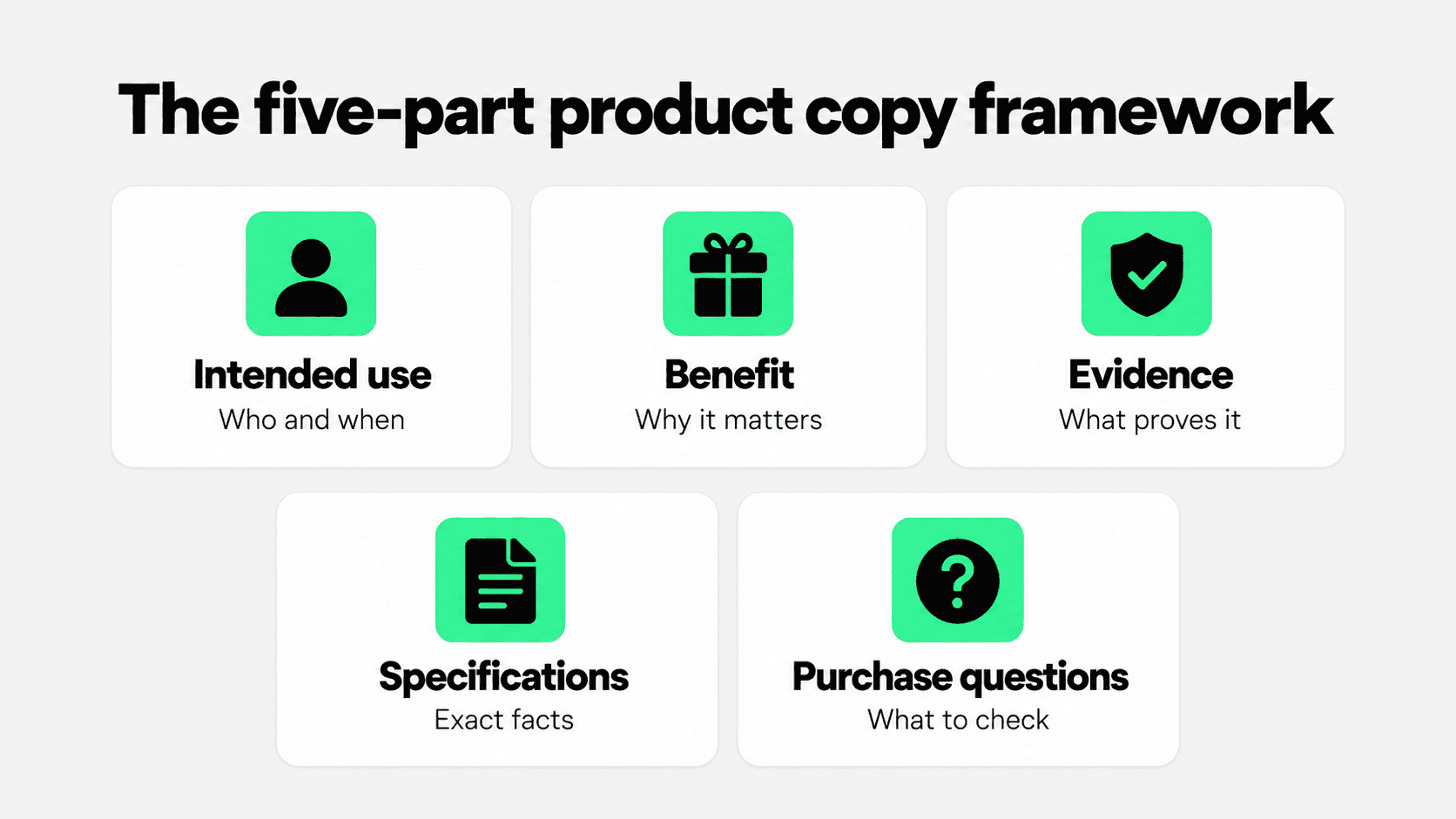
Collect the source facts before drafting. Ask the product team or supplier for approved specifications, inspect the item when possible, and note the questions customers ask repeatedly. Then write in this order:
1. Intended use
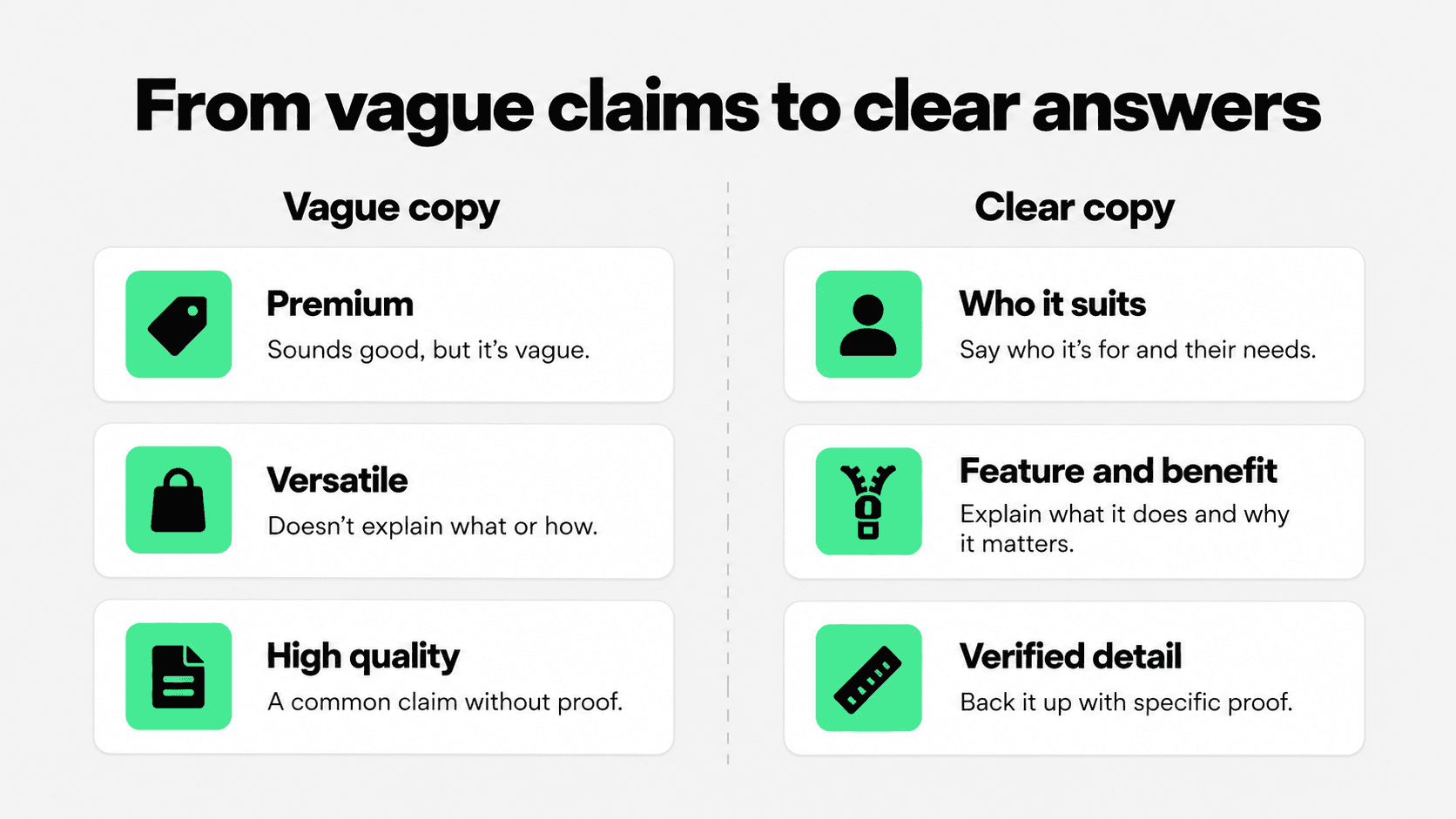
Name the product in ordinary language and say who or what it is designed for. “A compact canvas tote for daily errands” gives the shopper a clearer picture than “the perfect everyday essential.” Avoid declaring that an item suits every person or setting.
2. Benefit
Explain the practical payoff of a feature. A zipped top may help keep smaller belongings inside during a commute. The benefit should follow from a real feature, not from an imagined performance claim.
3. Evidence
Give the reason to believe the claim: a measured dimension, material composition, construction detail, tested rating, or a clearly attributed customer observation. “Premium quality” is a judgment; “double-stitched handles” is a checkable detail. Do not invent testing, certifications, or review results.
4. Specifications
Keep the exact facts scannable: dimensions, capacity, fabric, included parts, compatibility, care, and meaningful variant differences. Put the most decision-critical facts in the description or a clearly labeled details section. A merchant can manage repeated structured facts with Shopify metafields when the theme supports them; the shopper should still see readable values on the page.
5. Purchase questions
Answer the hesitation most likely to stop this purchase: Will it fit? What comes in the box? Is it suitable for a particular device? Can it be washed? What happens if the size is wrong? Link to the relevant shipping or returns policy for terms that apply across the store rather than rewriting a policy in every description.
Turn the framework into a short product page structure
You do not need five long paragraphs. Start with one or two sentences that identify the product, intended use, and main benefit. Follow with a short list of facts, then a small “Good to know” block for compatibility, care, or common objections. Longer products may need more detail; simple items should not be padded to meet a word count.
A practical drafting template is: “[Product] is for [specific use or customer]. Its [verified feature] helps with [real benefit]. Key details: [dimensions, material, variant, included items]. Before ordering: [fit, compatibility, care, or policy detail].” Remove bracketed prompts before publishing and rewrite the result in your brand’s natural voice.
Treat the template as an information order, not a sentence formula to paste across a catalog. Two products in the same collection can share a structure while emphasizing different decisions.
Product description examples: before and after
The examples below describe fictional products. Measurements and features are illustrative; replace them with verified details for any real listing.
Example 1: canvas tote
Before: “Premium everyday bag. Durable, stylish, perfect for anything.”
After: “A compact canvas tote for daily errands. The zipped top helps keep small items inside, while the 28 cm strap drop is designed to sit over a shoulder. Check the full dimensions below to make sure your laptop or groceries fit.”
The revision names the use, connects a feature to a benefit, and points to the dimension that could change the purchase decision. It avoids claiming the bag works for everything.
Example 2: desk lamp
Before: “Transform your workspace with this amazing modern lamp.”
After: “A small desk lamp for close-up reading or task work. Its adjustable arm lets you direct light onto the page. Check the lamp height, bulb requirements, and cable length before choosing a spot.”
This version tells the reader what the item does and what to verify. If the real lamp has a measured brightness, color temperature, or included bulb, add those facts only after checking the product record.
Example 3: skincare product
Before: “The ultimate solution for flawless skin.”
After: “A fragrance-free facial moisturizer for a simple daily routine. The formula contains glycerin and comes in a 50 ml tube. Read the full ingredients list and patch-test guidance before use.”
The second version is more useful without promising a medical or cosmetic outcome that the seller cannot substantiate. For regulated or sensitive categories, have claims reviewed against the applicable evidence and requirements.
Build a source sheet before writing in bulk
Catalog copy goes wrong when one plausible sentence gets repeated across dozens of products. A small source sheet keeps writers tied to the right SKU and gives reviewers a place to check facts before the prose goes live.
Field to collect | Where to verify it | How it appears in copy |
|---|---|---|
Intended use | Product brief and actual use constraints | Opening sentence |
Materials and dimensions | Supplier specification or measured sample | Short facts list |
Performance claim | Test report or approved substantiation | Qualified benefit sentence |
Variant difference | SKU or variant data | Near the variant selector or details |
Care and compatibility | Product instructions and support records | Good to know or linked guide |
Shopify’s product data options can help keep repeatable specifications in dedicated fields; see its metafields documentation for the current setup and theme requirements. The editorial check is whether the stored values are actually displayed in clear language on the product page.
Pair feature icons with readable copy

A row of three small icons can help a shopper spot “zipped top,” “canvas body,” or “shoulder strap” at a glance. Those labels should point toward the fuller description, not replace it. An icon cannot carry the exact strap drop, material blend, or care instruction on its own.
Write the label first, then choose an icon that reinforces it. Keep the wording specific and consistent with the detailed text below. If a badge says “washable,” the page should explain the allowed method. If an icon suggests “waterproof,” confirm the claim before publishing; “water-resistant” may be the only supported wording.
For accessibility, provide the meaningful information as text and give non-decorative images appropriate alternatives. The W3C image guidance explains how text alternatives depend on an image’s purpose. When the same fact is already in adjacent text, avoid making screen readers repeat an icon label without adding information.
This section stays about the copy: the icon is a shortcut to a fact. The exact fact must remain available in the text a customer can read, search, translate, and revisit.
For more on selecting and placing small icon blocks, see Snapp’s product feature icons guide. Snapp Trust Badges & Icons can display short, editable feature labels, while the description continues to carry the full product facts.
Edit for search without making the page sound written for search
Use the product name and the terms customers use when they are accurate. A product description for a linen tablecloth should say “linen tablecloth” naturally; it does not need every variation repeated in each paragraph. Distinct products deserve distinct descriptions, especially when sizes, materials, uses, or included parts differ.
Shopify recommends original product copy and natural use of relevant terms in names, descriptions, headings, and specifications. Search visibility is a useful side effect of telling the truth clearly. Do not stretch a description with unsupported adjectives or borrowed manufacturer copy just to make it longer.
If the page keeps generating pre-purchase questions, treat those questions as a content signal. Snapp’s Shopify product page optimization guide shows how product details and trust cues can address hesitation without crowding the buying area.
For return questions that apply across the store, link directly to the policy. Snapp’s Shopify return policy examples explain how to make those terms understandable before a customer buys.
Run a five-minute copy audit before publishing
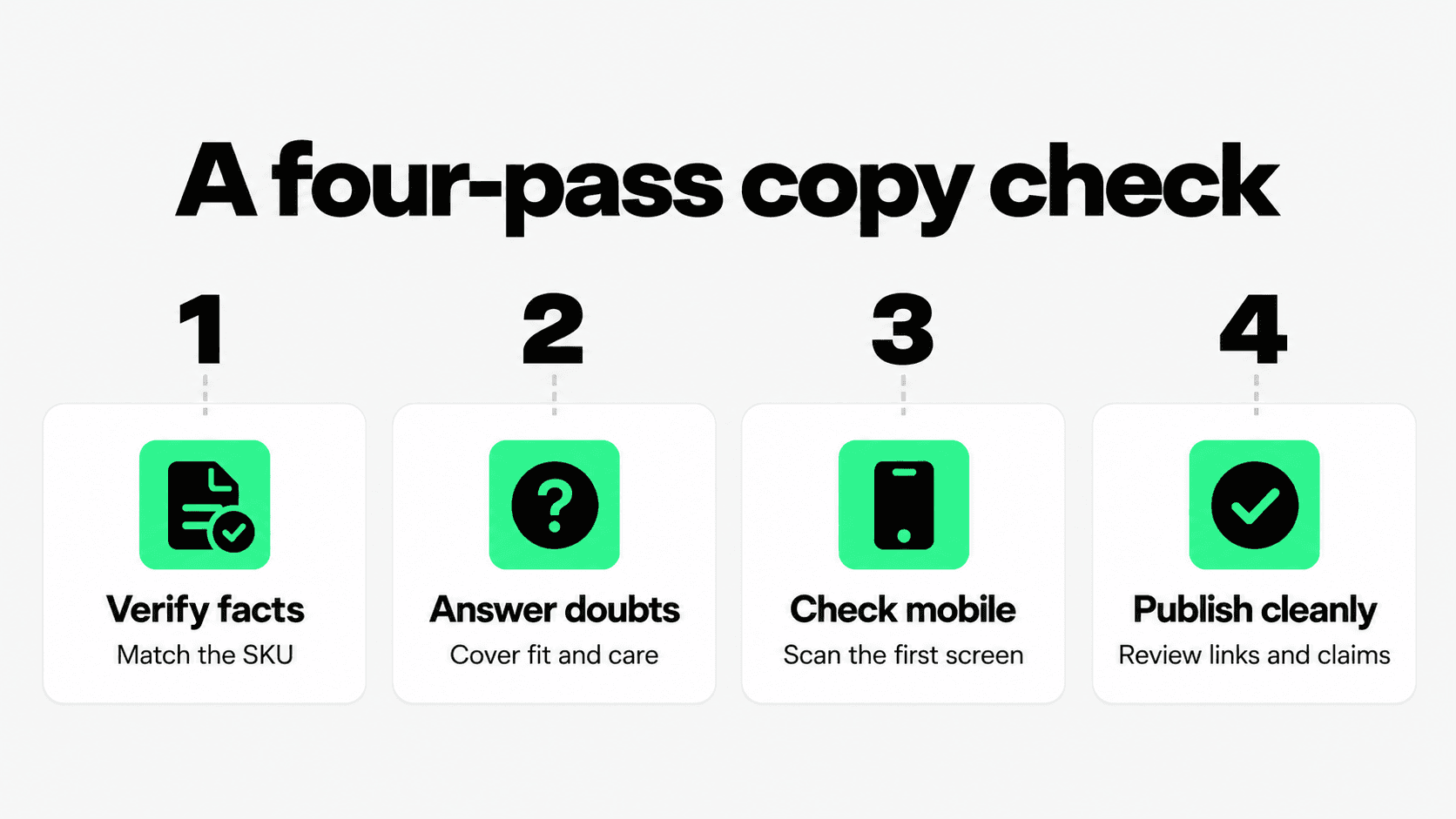
Read the page without the product photo. Can you identify what the item is, who it suits, and the key reason to choose it? Then compare every concrete statement with the source sheet. If a claim has no source, qualify it, replace it with a verifiable fact, or remove it.
Circle vague praise such as “premium,” “best,” or “perfect” and ask what a shopper can actually check.
Check that sizes, units, materials, variants, care, and compatibility match the live product record.
Read on a phone: the first sentence should still make sense, and the key facts should be easy to scan.
Ask support what customers still ask before buying; add the missing answer in the right place.
Review icons, captions, and detailed copy together so they do not contradict one another.
A good support path matters after the purchase too. Link product copy to the right fit, care, shipping, or return answer when it helps. The Snapp product page guide covers the wider page signals; this article keeps the writing itself in focus.
For a small set of verified visual cues next to the text, see Shopify apps to increase sales from Snapp. The product facts remain the source of truth.
Conclusion
Clear Shopify product copy is built from product knowledge, not decorative language. Name the intended use, connect a real feature to its benefit, show the evidence, publish the exact specifications, and answer the question that could stop the purchase. Use examples and icons to make those facts easier to grasp, then check the final page against the product itself before it goes live.